
Always free. No tokens. No usage limits.
Build a native mobile app, 100% free.
Describe what you want and SnapApp builds a native Android or iOS app using free, open-source AI. No usage limits, no credits, and no surprise bills—ever.
Free forever. The AI never costs extra.
SnapApp rotates free, open-source AI models and can run AI directly on your own computer, so you never hit a usage limit and you never pay per prompt.
100% free • No subscription • No credits • No tokens • No usage bills
SnapApp is a desktop app because it needs secure access to your files, app-building tools, and connected phone—things a web browser cannot access.
You
Waiting for your app…
Free forever
SnapApp is free. Really free.
Other builders nickel-and-dime you after the first few prompts. SnapApp doesn't — here's the whole pricing story in one glance.
$0 — To download the app and start building. No credit card, no trial clock.
0 — Usage limits. Build, run, and publish as much as you want.
∞ — Unlimited prompts and tokens. No meters, no running out, ever.
The only thing you ever pay for is the software itself — a one-time purchase after your 50 free prompts. Everything after that is unlimited.
Free AIs, forever
We rotate the best free app-building models, so the AI building your app never runs out.
Free to download and build
Get the app, build real projects, run them on your own phone, and publish to the App Store and Google Play with your 50 free prompts.
iOS & Android included
Run your app on your own phone for free, then publish it to both stores.
One purchase, then unlimited
After your 50 free prompts, you buy the software once. That's it — no credits, no subscription, no rate limits, no meters.
- Tokens
- Credits
- Subscriptions
- Trial timers
- Usage meters
- Rate limits
Inside the app
Your whole app lives in one window.
Chat on the left, your app on the right. Run it on your phone, add a backend, and publish — without leaving the screen.
Try it
Type a request below, or jump to a moment in the build.
Pennywise
Flutter · iOS & Android
Build with SnapApp
Unlimited promptsYou
Add receipt photos and a monthly spending chart.
SnapApp
Done. Your files are updated and ready to run.
How it works
From idea to app stores in three steps.
- Step 1
Prompt and build
“Make me an expense tracker for my small business.”
Describe your app in plain language. SnapApp creates the screens, wires the buttons, and includes a fully-integrated backend to handle user login, file storage, push notifications, and more.
- Step 2
Run on your Android or iPhone
Plug in. Click Run. Watch it open.
Connect your phone with a normal cable and tap Run on Phone. SnapApp builds, installs, and opens the app for you.
- Step 3
Build and send to app stores
Google Play and the Apple App Store.
When you are ready, SnapApp prepares your app, icon, screenshots, and description so you can publish.
Use cases
A few ideas to get you started
These are the kinds of mobile apps people describe to SnapApp every day.
- Pennywise9:41100%
Total
$482.10
- Coffee supplies$38.20
- Fuel$74.00
Add expenseExpense tracker
“Track my daily spending and show me weekly totals.”
- IronLog9:41100%
- Bench press4 × 8
- Shoulder press3 × 10
- Incline dumbbell3 × 12
Streak
12 sessions
Log a setWorkout logger
“Log my gym sessions and count reps per exercise.”
- Gatherly9:41100%
24
Going
6
Maybe
3
No
 Maya ChenGoing
 Tom RuizMaybe
 Priya N.Going
Invite guestsEvent planner
“Plan my party with a guest list and RSVP tracker.”
- Maker's Nook9:41100%

Candle set
$24

Ceramic mug
$18
CheckoutSmall store
“A simple shop page for my handmade products.”
- Clientele9:41100%
- Bright CafeIn progress
- Nova DentalWaiting
- Hill StudioDone
- Rowe & CoIn progress
Add clientClient CRM
“Keep notes on my clients and their project status.”
- Blocktalk9:41100%
 Dana
DanaFree for the cleanup Saturday?
4 replies
 Marcus
Found keys by the park gate.
2 replies
New postCommunity board
“A place for my group to post updates and replies.”
Case study
Capsule: a real app in both stores
Capsule is a shared photo and video album app where friends drop every angle of an event into one private timeline. It started as a description and shipped to the App Store and Google Play.
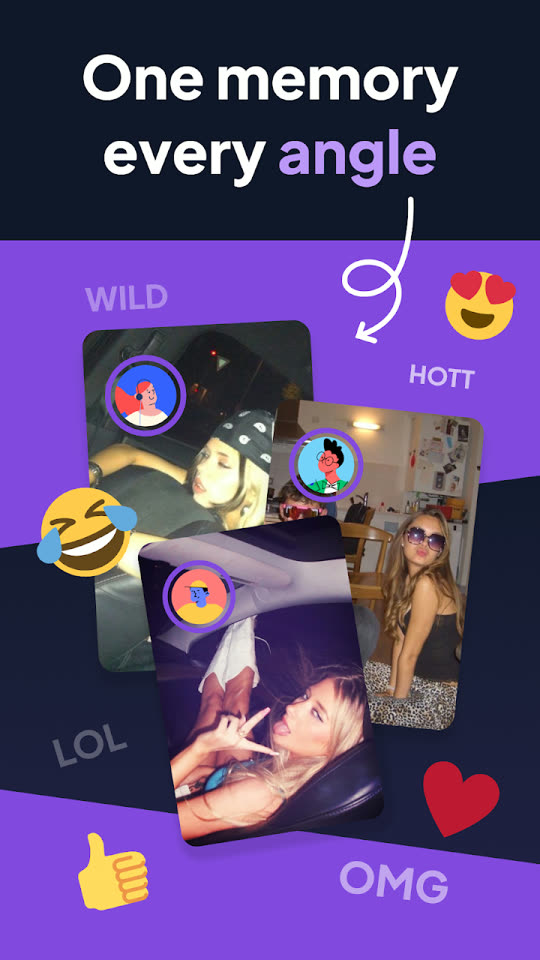
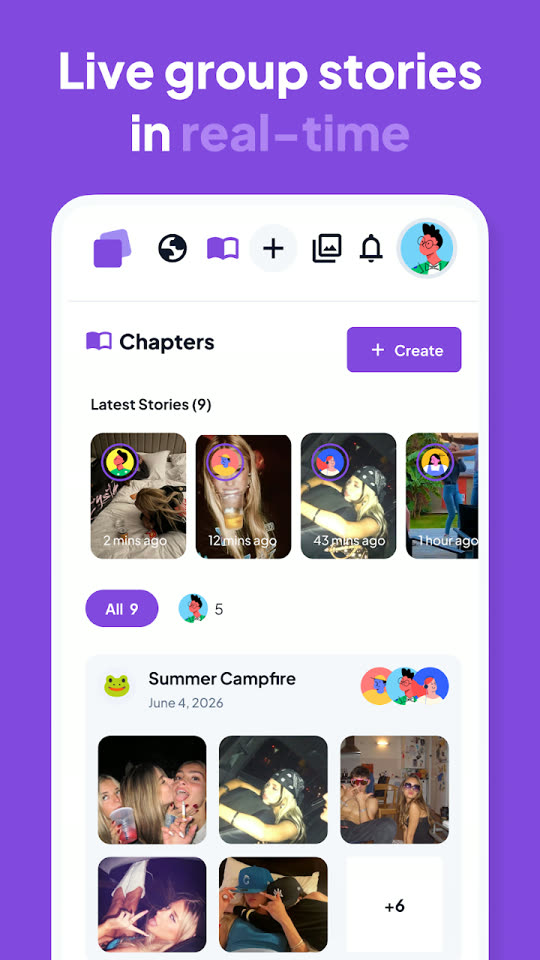
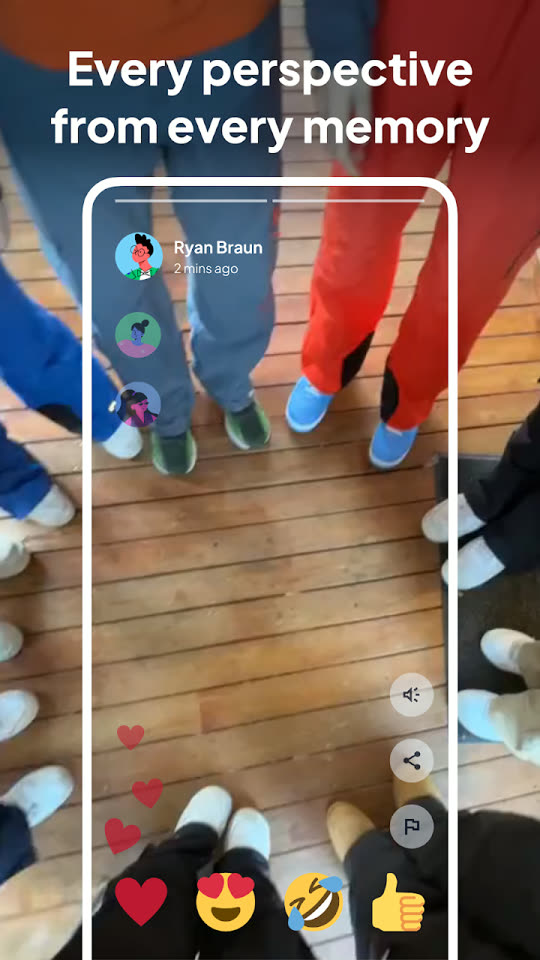
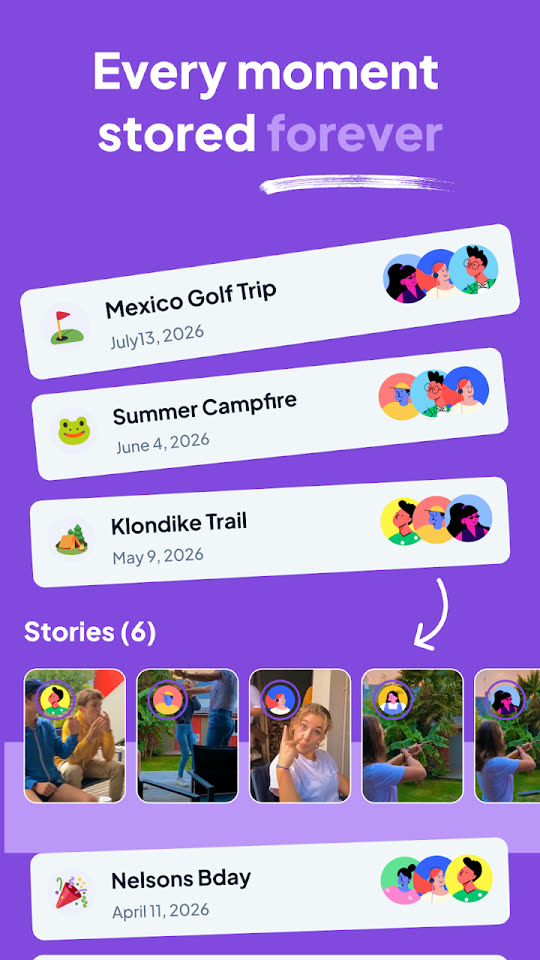
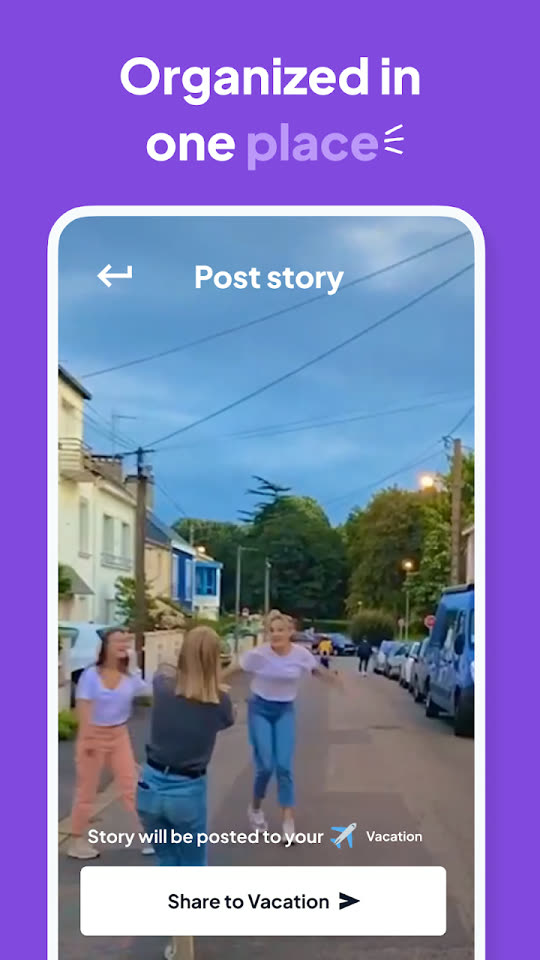
Screenshots from capapp.co, live on the App Store and Google Play.
- Published to both stores
- iOS + Android
- Google Play downloads
- 1K+
- App Store rating
- 5.0
Run on Phone
Your app. On your phone.
No complicated development setup. Connect your phone, click Run, and SnapApp takes care of the rest.
- Building…
- Installing…
- Opening…
Expense Tracker
March · $1,240 spent
 Supplies$180 · yesterday
 Fuel$62 · Monday
 Client lunch$44 · Monday
 Software$29 · last week
No code. No setup. No AI nonsense.
You tell SnapApp what you want. We handle everything else.
You shouldn't need to understand AI to use AI.
Other tools ask you to think about things like:
- Models
- Tokens
- Credits
- Providers
- Context
- APIs
SnapApp automatically handles the AI behind the scenes. You just build.
You
Add a login screen.
SnapApp
Done.
You
Add a database.
SnapApp
Connected.
You
Make the buttons green.
SnapApp
Done.
Build without watching a meter.
SnapApp is designed to run its AI directly on your computer, so you don't have to buy AI credits every time you want to make a change.
- No token packs.
- No monthly AI allowance.
- No per-prompt charges after lifetime unlock.
Compare the experience
The usual way, and the SnapApp way.
Traditional app development
- 1.Learn programming
- 2.Install development tools
- 3.Configure SDKs
- 4.Write code
- 5.Debug errors
- 6.Build application
- 7.Configure phone
- 8.Install application
SnapApp
- 1.Describe your app
- 2.Plug in your phone
- 3.Click Run
Publishing
Finished? Get ready to publish.
When your app is ready, SnapApp walks you through preparing it for Google Play and the Apple App Store.
SnapApp automates as much of the preparation as it can. You still use your own Apple and Google developer accounts, and both stores review apps before they go live.
Your launch checklist
- App
- Icon
- Screenshots
- Description
- Build
Pricing
Free to start. $29.99 once for everything.
Every account gets 15 free AI prompts. Unlimited prompts are unlocked by a single $29.99 payment — not a subscription.
Free
$0
15 AI prompts
- Build a real mobile app
- Run it on your phone
- Full building experience
- Fully-integrated backend: logins, storage, push, and more
- Keep your project
- No credit card required
SnapApp Lifetime
$29.99once
One payment. Unlimited AI prompts.
- Unlimited AI prompts
- Unlimited projects
- Run apps on your phone
- Build for Android
- Build for iPhone
- Fully-integrated backend: logins, storage, push, and more
- Future SnapApp updates according to license terms
- No subscription
- No token packs
- No AI credits
One payment. No monthly or yearly charge, ever.
You already have the idea.
Let SnapApp build the app.
15 free AI prompts • No credit card required